Finding Your Scanned Documents
Contents
Your scanned documents can be found here:
- On public computers at NTK (terminals - thin client)
- On your own computer, connected to the NTK network via WiFi
On public computers at NTK (terminals - thin client)
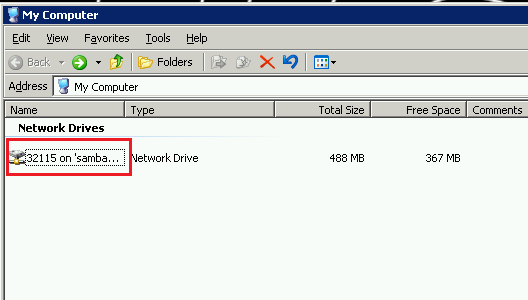
Pic. 1: From the terminal desktop, open the folder My Computer, then your network drive XXXXX on samba.
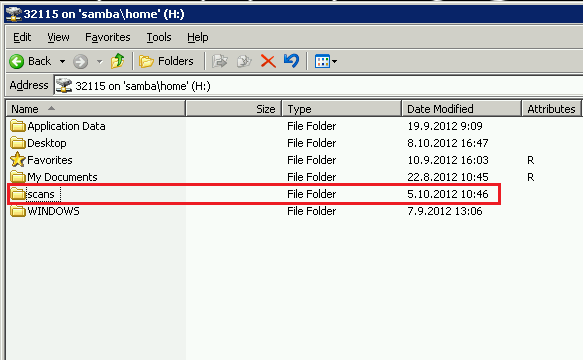
Pic. 2: A "scans" folder was created automatically...
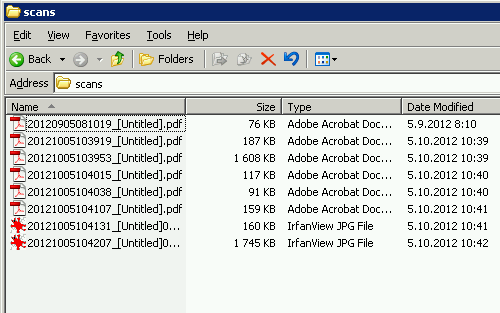
Pic. 3: ... here you can see you scanned documents.
On your own computer

Pic. 1: First you need to login to a shared controller called Samba. Open the Computer folder

Pic. 2: Click the address bar, which will enable direct address writing

Pic. 3: Type the address of the remote server \\samba and press Enter
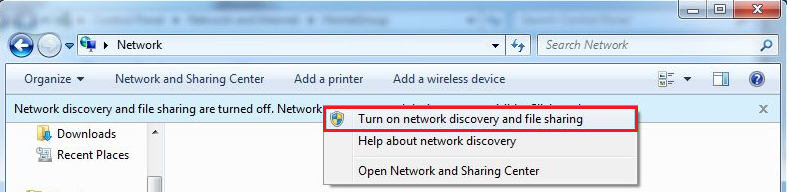
Pic. 4: Click on turn on the network discovery...
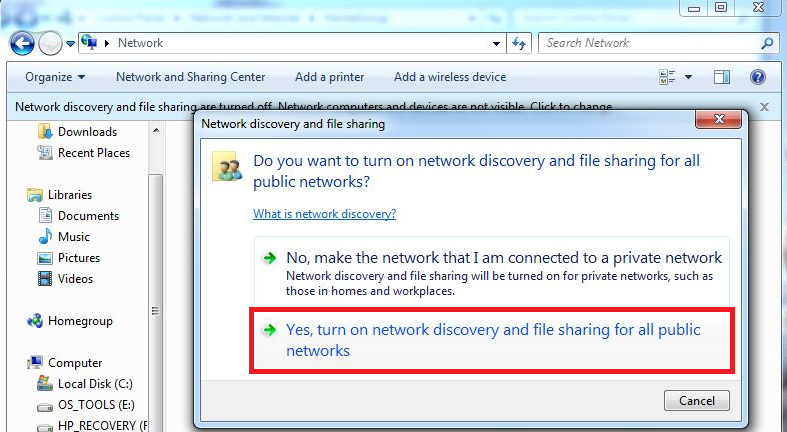
Pic. 5: Enable network discovery and file sharing
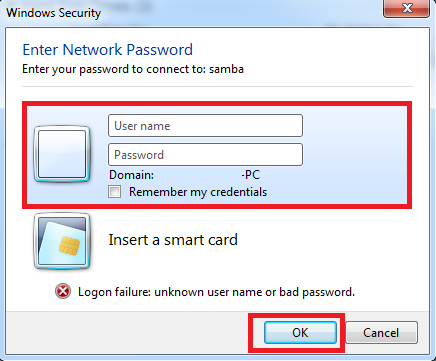
Pic. 6: Log in by using your NTK username and password
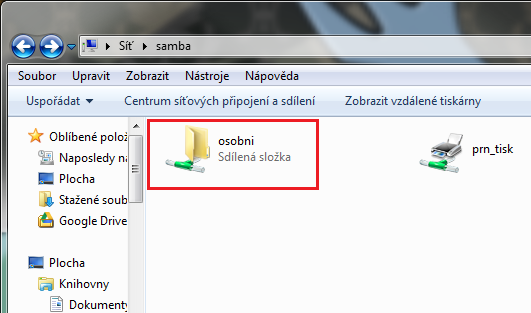
Pic. 7: Open Osobní folder
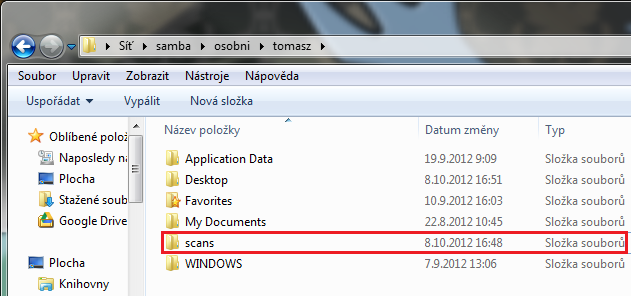
Pic. 8: Select the newly created folder scans, which already contain your scanned documents
Please note: use of ICT services is subject to the library regulations, notably the "Rules for the use of computer technology and the Internet in NTK"
