- System -> Administration -> Printing
- Server -> New -> Printer
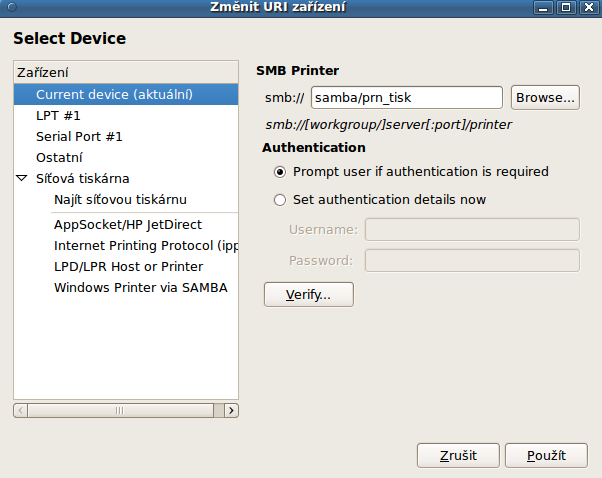
- Menu Devices -> Network printer -> Windows Printer via SAMBA
- Into field smb:// enter samba/prn_tisk
- Choose "Set authentication details now" and enter youe username and password -> Forward
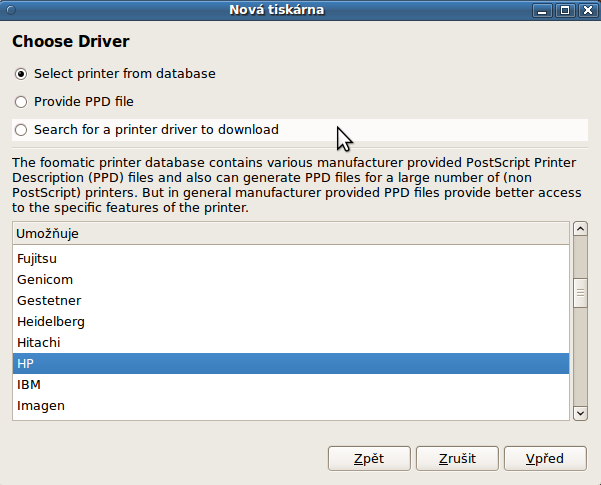
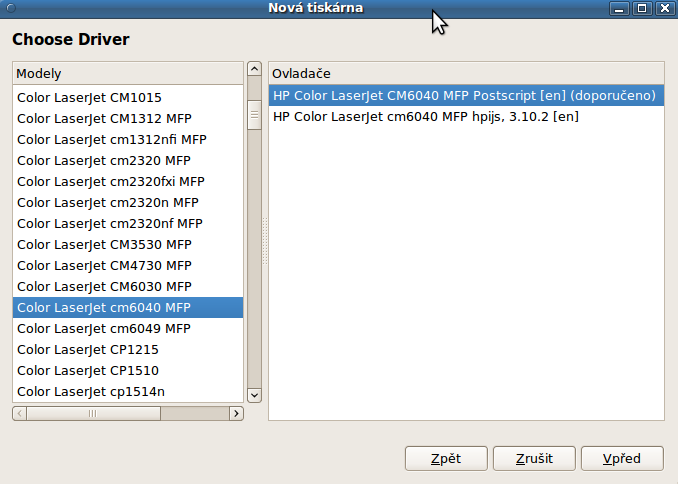
- Select printer from database -> find "HP" -> Push button Forward -> from menu "Models" choose HP Color LaserJet 6040 MFP
- From menu "Drivers" choose "HP Color LaserJet 6040MFP Postscript [en] (recomended)"
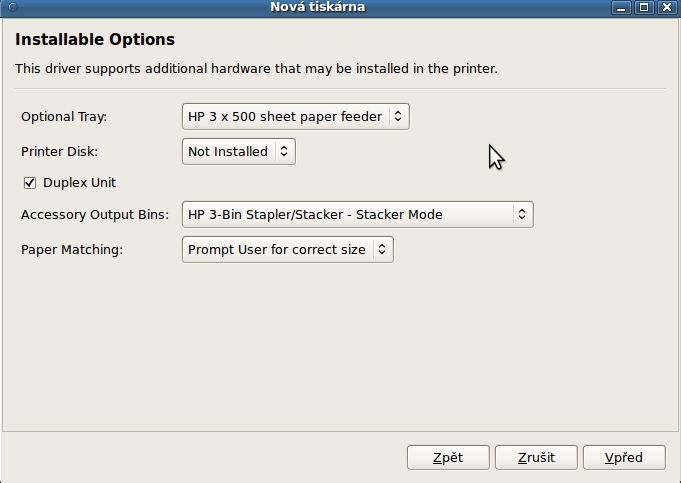
- In the window "Installable Options" push button "Forward"
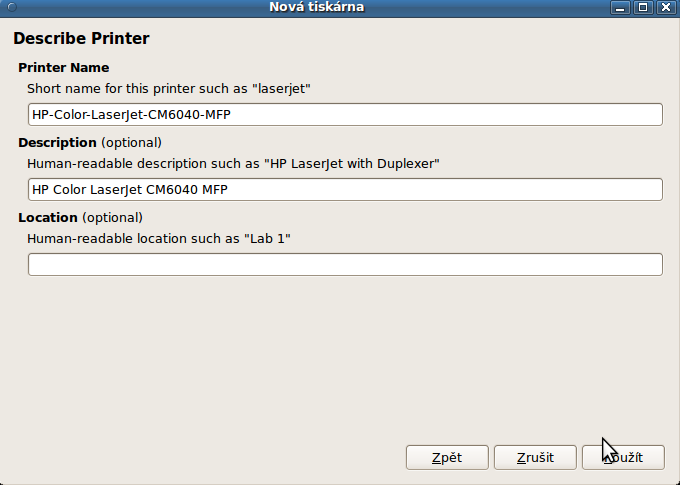
- In the window "Describe Printer" set Location "NTK v Praze" and push "Use"
- On request "Would you like to print a test page?" push "No"
- Send the document to the printer, from the menu of step 1, select added a printer (eg HP Color LaserJet 6040MFP) and view the print queue (right mouse button or CTRL + F)
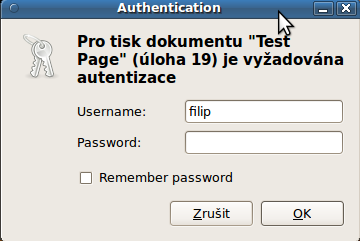
- If your documents are in the queue in "Waiting for authorization", right-click and select "Authorize". Enter your username and password and click OK.
- The requested document should be sent to the print queue and print you can choose it from any MFP in NTK.
Editor:
Last modified: 27.6. 2013 17:06