Informations for customers
If you can not sign up for paid print (on NTK kiosks or in own device), you have to change your password on the web NTKhttp://www.techlib.cz/index/change-password (password could be the same as current)
Paid printing
- Download and extract the driver to any location on your computer from the following location:
- Then follow the pictorial guide:

Pic. 1: Folder view Computer

Pic. 2: Enabling direct typing address

Pic. 3: Enter the server address \\samba
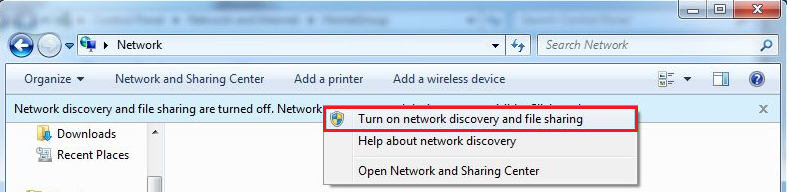
Pic. 4: Turn on network discovery and file sharing
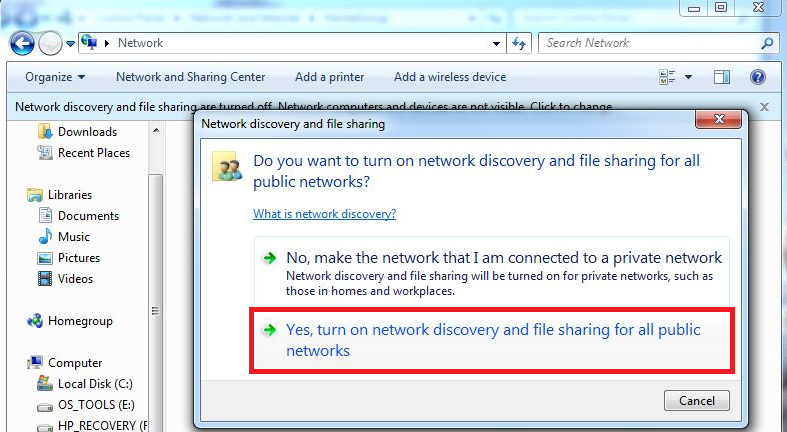
Pic. 5: Enable UAC
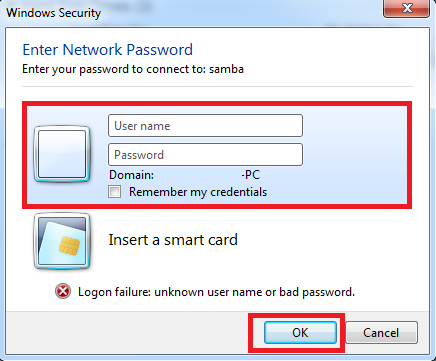
Pic. 6: User logon

Pic. 7: After logging in, go to the list of printers in the Control Panel and click on "Add a Printer"
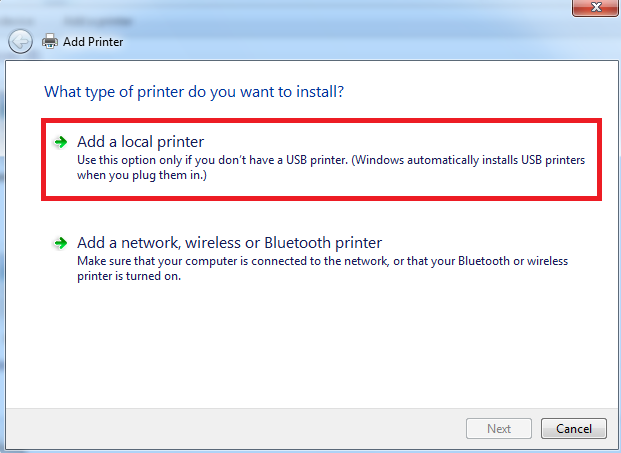
Pic. 8: Choose "Add a local printer"
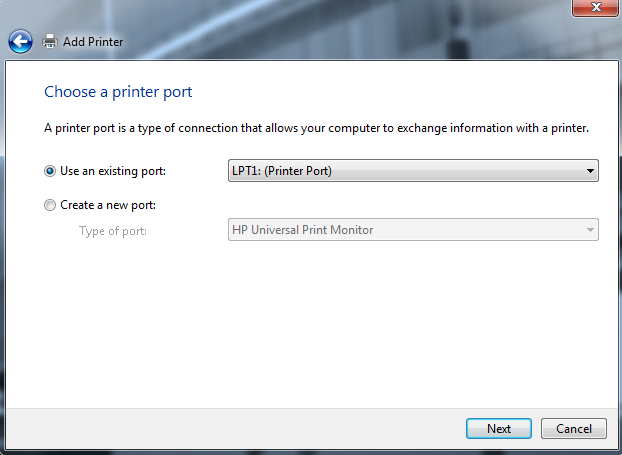
Pic. 9: Use an existing port (LPT1)
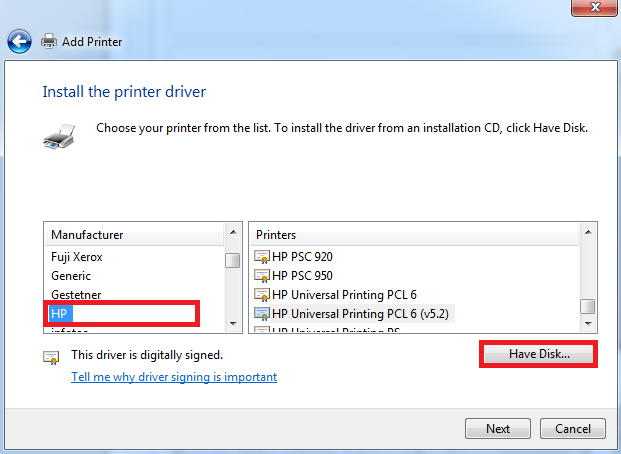
Pic. 10: In the left menu, select HP, and then click on "Have Disk ..."
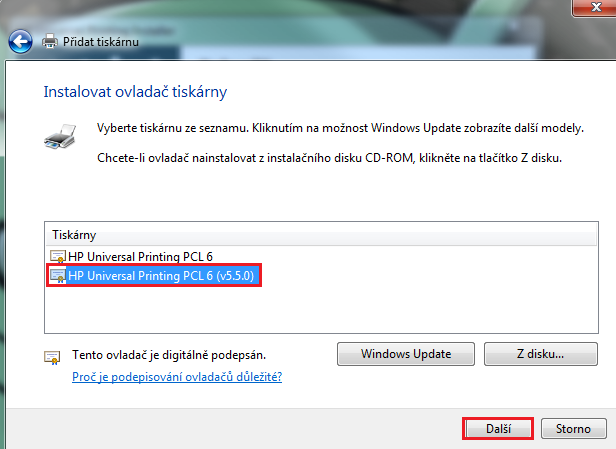
Pic. 11: Select the folder where you extracted the downloaded driver
Pic. 12: Choose HP Universal Printing PS (v5.1) and click next
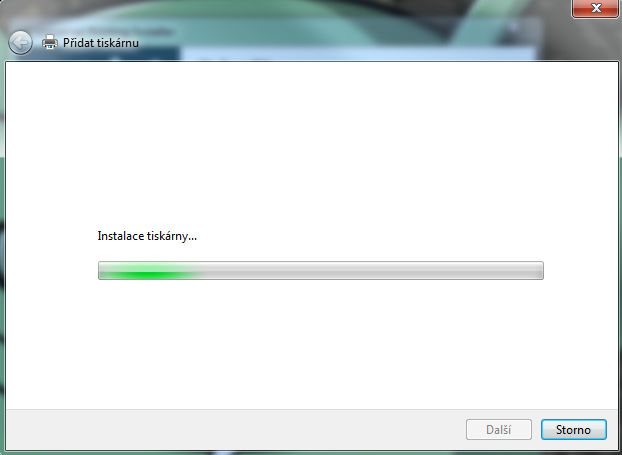
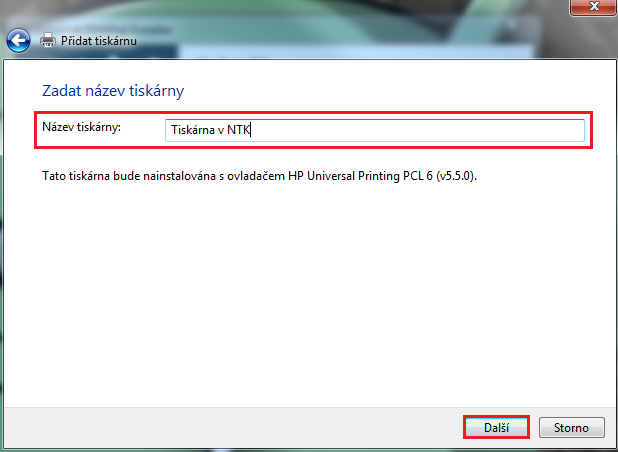
Pic. 13: Select the name of printer according yourself and press "Next"
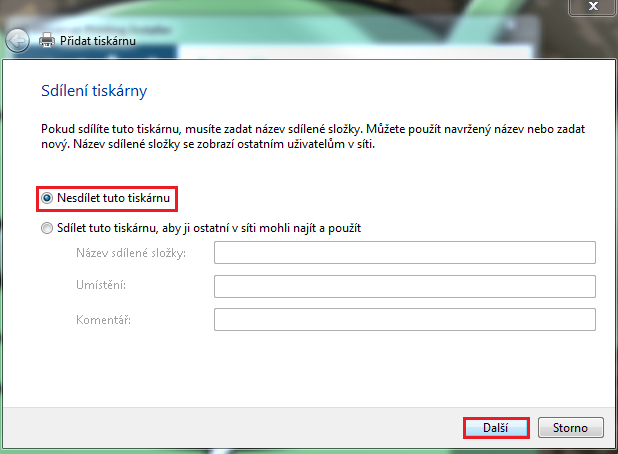
Pic. 14: The printer is installing
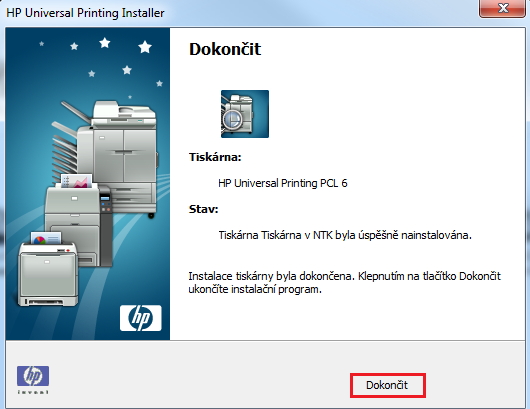
Pic. 15: After successful installation you will be informed like similar message, don't print the test page
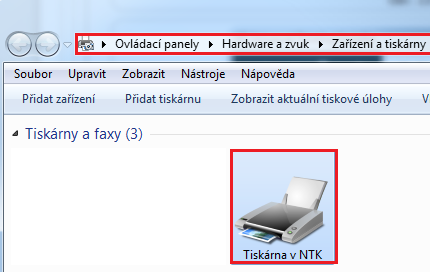
Pic. 16: Return to the Control Panel - installed printer
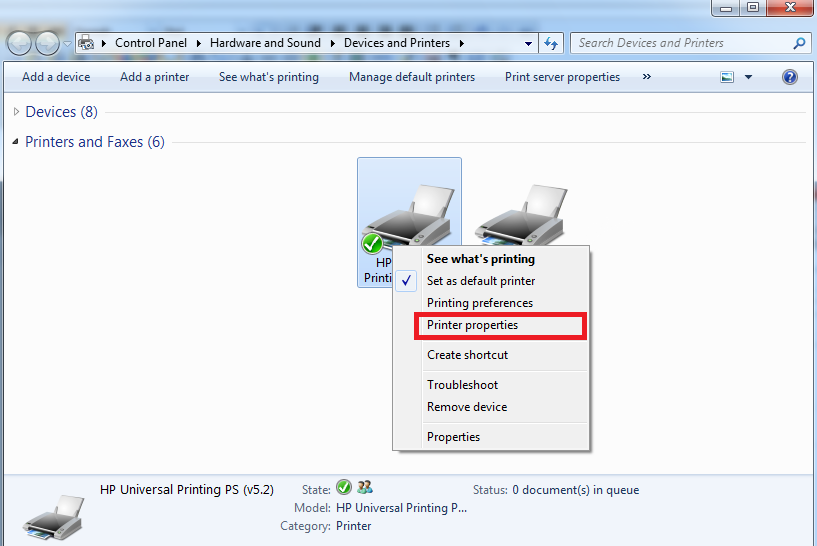
Pic. 17: Right-click and choose "Printer properties"
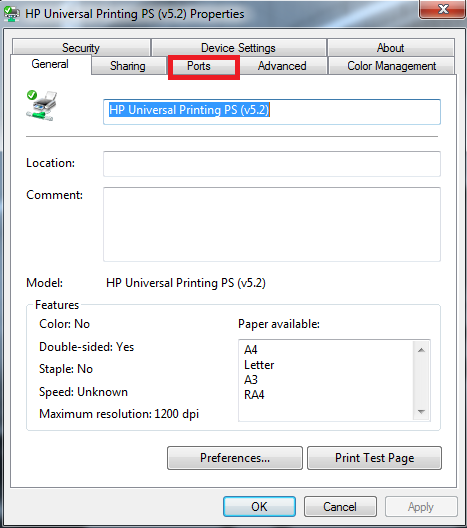
Pic. 18: From the menu select "Ports"
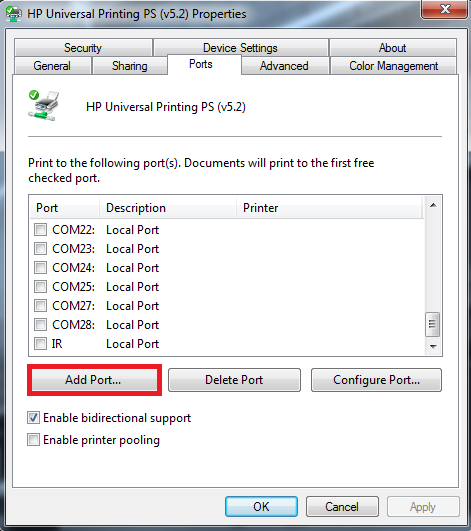
Pic. 19: And choose "Add Port..."
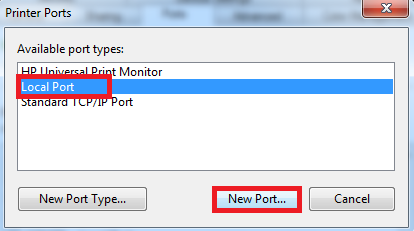
Pic. 20: Select "Local Port" a and click on "New Port..."
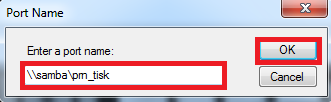
Pic. 21: As a port name enter \\samba\prn_tisk and click OK
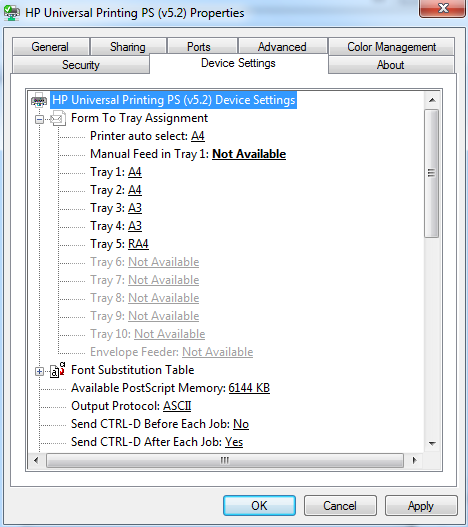
Pic. 22: Set the items, to match these three following images
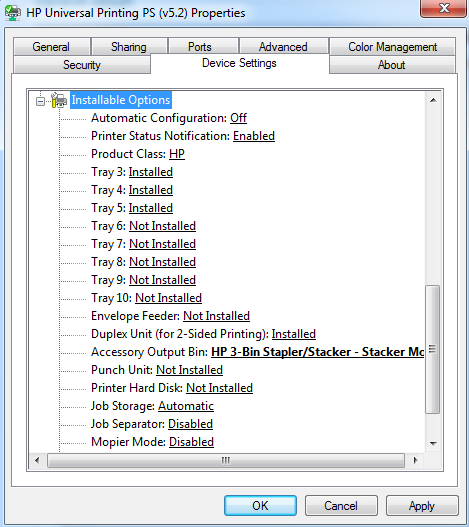
Pic. 23: Attention to setting tray 3+4, additional output bin and save jobs
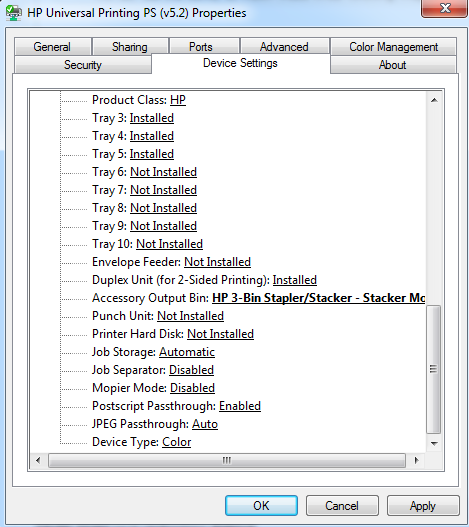 Pic. 24: And on the last line change "Device Type" to "Color"